 We all can watch the Pros smashing up the classic climbs on TV and wouldn’t it be great to have a go yourself! But unfortunately not many of us have the luxury of having any of those climbs on our own doorstep. However, what you can easily do using VeloViewer is to find which of your local climbs is the most like one of the classic climbs and then compare or attempt to match your time with that of the Pros. Here’s how to do it.
Author: Ben Lowe
VeloViewer brings your Strava timeline to your Pebble
 Do you want to view your Strava timeline on your wrist? Dish out Kudos with the push of a button? Then get yourself a Pebble smart watch and the VeloViewer app. View the last 30 activities of your friends, drill in to view more details and then dish out the Kudos.
Vélobici Spring Classics Challenge 2014
 The snowdrops are flowering which can mean only thing: the Vélobici Spring Classics Challenge is about to commence! With over £1000 of Vélobici kit up for grabs this is just the incentive you need to get yourself clocking up the miles in preparation for summer. The format is the same as last year with 50 days available for you to rack up as much distance as you can with a goal of completing the equivalent distance of as many of the Spring Classics as possible. The more classics you complete the better the prize you’ll have a chance to win. Many bonus prizes also available including furthest distance covered on a steel framed bike and also a separate country leaderboard to see which nation has the most hard-core riders. View the leaderboard on VeloViewer.
Delving into The Sufferfest Rubber Glove with VeloViewer to find your FTP
 Most of you by now will have tried out the new activity details page on VeloViewer but in the depths of a northern hemisphere winter, here’s how you can use it to find your Functional Threshold Performance (FTP) in conjunction with The Sufferfest’s Rubber Glove video from the comfort of your own kitchen/garage/cellar/gym.
Strava API Changes – Rate Limiting and Increased Privacy
A few changes are coming to the Strava api over the next couple of weeks, the main details of which I’ll leave for their official announcement. There are however a couple of things in those changes that will affect VeloViewer to a limited extent so here’s some info on what that will mean.
Monthly Strava Activity Wheel
 Ever since I saw this visualisation of the 2013 Giro d’Italia route last year I’ve wanted to emulate that view, dynamically on my Strava data and luckily for you guys, let you use it too. Once I’d got my head around the maths for drawing the profiles on an arc then the rest quickly took shape. Isn’t maths fun!
VeloViewer V3.1 – New update options and page load improvements
 It always surprises me how many rides and runs some people load up into Strava and the knock-on affect for VeloViewer is some slow page loads for those people concerned. Hopefully those days are now behind us! As well as improved page loading I’ve finally got round to adding the most requested feature from the Usability Survey many of your filled in earlier in the year: “Could we have one update button, one click does everything”. Well now you’ve got one!
The Strava Challenges Trophy Cabinet Lives Again

It has taken some time for me to get round to reimplementing the Strava Challenge Trophy Cabinet that was a popular feature of the last version of VeloViewer but the wait is now over! On your VeloViewer Summary page you are now provided with a list of all the Strava Challenges that you have completed, fully or in part along with any current Challenges that are in progress.
Strava Bookmarklets – Map Flipper for Open Cycle/Street Map and Ordnance Survey
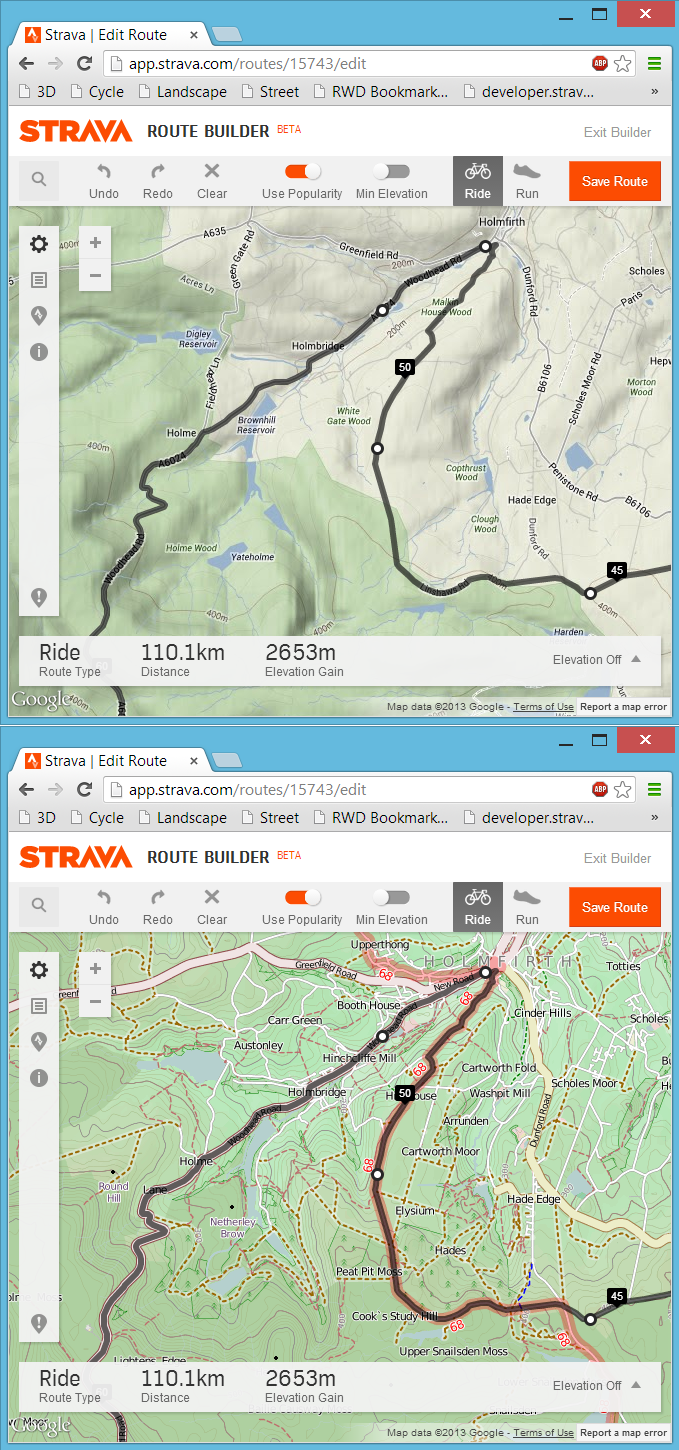 Following on from my last post about my bookmarklet to view any Strava route, activity or segment in 3D, here is the follow-up post about a far more simple bookmarklet that will swap out the default Google Maps found in the Strava website for a choice of Open Cycle, Landscape and Street Maps or the Ordnance Survey maps in the UK. At least here in the UK the Google Maps can be rather limiting from a cycling or running perspective due to a distinct lack of detail, particularly around off-road routes. Fortunately the Open Maps (and even more so the Ordnance Survey maps) have detail in spades and with a bit of JavaScript magic we can swap out the Google Maps for the alternative map of our choosing.
3D Strava/Garmin Connect/Ride With GPS Courses, Activities, Routes and Segments
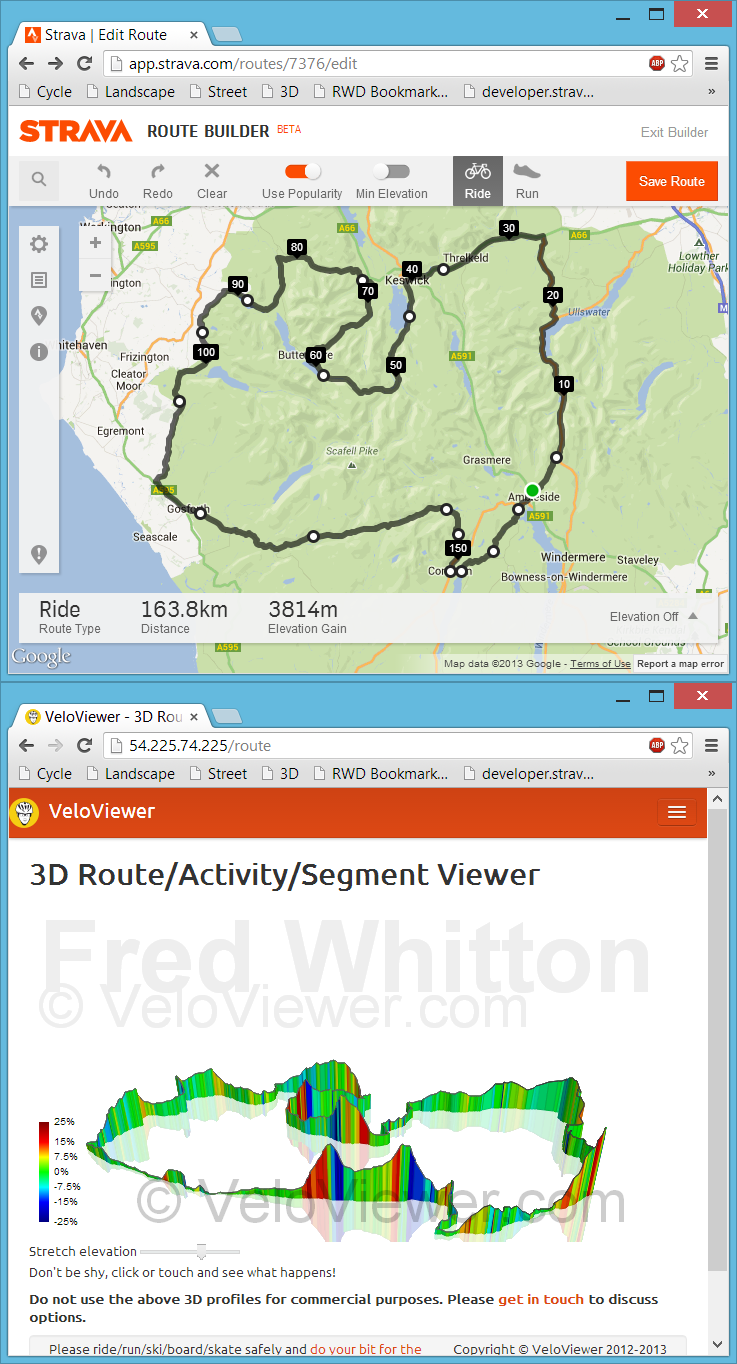 Back in July I had my first experience with bookmarklets when playing with Marc Durdin’s excellent bit of code that provides his funky elevation profiles for Activities and Segments right there, in amongst Strava’s own page contents. I might have been a bit naive but I just didn’t realise that this thing was so easy to do, so time for a quick play and see what I could come up with. First off I wanted to get an interactive 3D view of the new Strava Routes, the other thing that sprung to mind was to see if I could swap out the Google Maps view for the more detailed (at least here in the UK) Open Street/Cycle Maps which I’ll go into in my next blog post.