Top Tips: Making the Most of the Gradient Profile

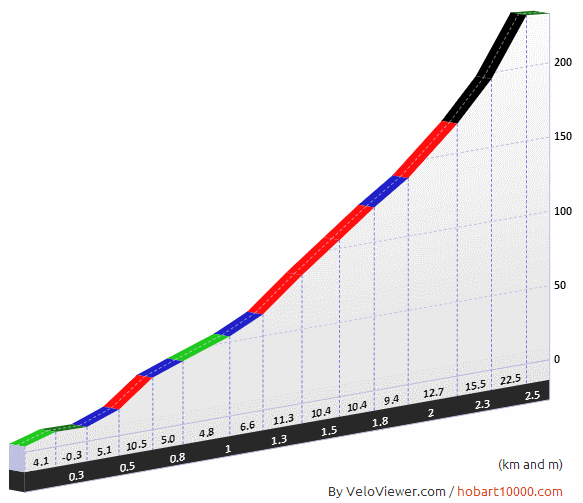
Fleet Moss Gradient ProfileThe gradient profile is one of the coolest features on VeloViewer giving your own rides that Pro Tour feel. But did you know that the wider your browser window the more detailed the profile will become?

Thanks must again go to Marc Durdin whose code to provide profiles for the Hobart 10,000 ride was the starting point for what you see now.

Segment on the right is Yorkshire’s Fleet Moss, one of the UK’s 100 Greatest Cycling Climbs and is as painful as it looks. 2014 Tour de France will go past the foot of this climb but unfortunately will be taking the much less dramatic climb to the north of Hawes.
Continue reading

Word/Tag Cloud your Strava Segments

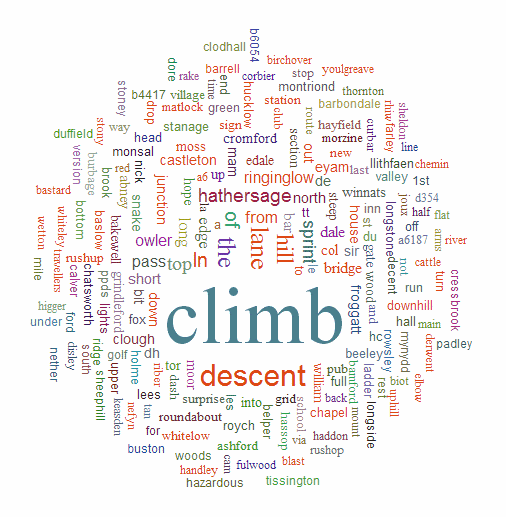
Segment Word CloudSo what type of segments do you tend to ride? OK, this isn’t really going to tell you that perfectly but it might give you some indication. As you can see the segments around here in Sheffield tend to be either climbs or descents, but that’s why I live here! Check out your own Strava segment word cloud on your new Word Cloud page. Update: Now has Ride option too!

Continue reading

VeloFlow: How-To and Secret Features Videos

VeloFlow stopped working back in 2014 (ish) due to increased privacy with the Strava API  Velo Flow Special FeaturesVeloFlow allows you to view and interact with animated Strava rides. Getting started with VeloFlow can be a little confusing but the video below walks you through how to do it step by step. The second video shows you some of the hidden features in VeloFlow explaining how to highlight multiple riders and more.


Continue reading

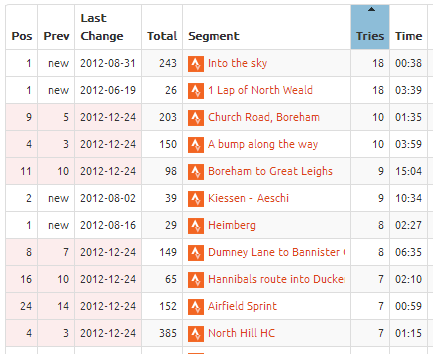
Number of Tries now in Segment List

TriesNot quite sure why I didn’t have this column in here from the start to be honest but its there now: the number of tries you’ve had on each segment, and of course you can order by it.

In order to populate the data for this column you must press the “Check for new segments” button on the Update page. Until then you will just see a list of question marks.

You will also see the number of tries in the History tab header on the Segment Details page.

Update Ride Dates

Update Ride DatesAfter being pointed out that the Velo Flow link from segments for some rides in Australia weren’t always returning results as expected I discovered I’ve not consistently using the right date from the Strava API. The majority of dates I use have been Greenwich Mean Time which is causing an issue when your ride happened to not be the same day as it was at the time in London.

Easy fix though – once only you will need to press the “Update Ride Details” button on your Update page and then this button will disappear then all your data should be in the appropriate time zones.

VeloViewer Mapping Options

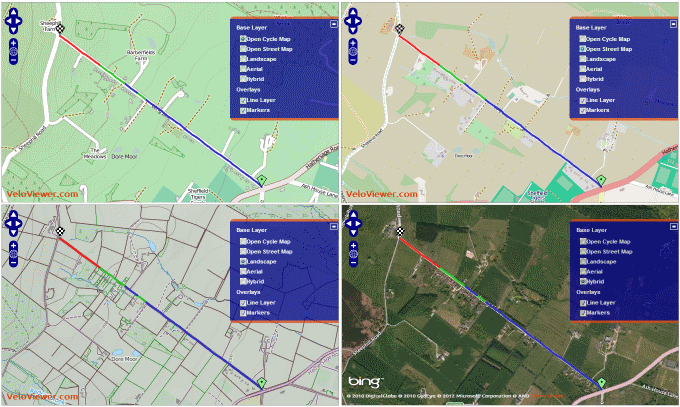
Map OptionsSeeing your rides and segments on maps is a complete no-brainer in terms of functionality for VeloViewer and the recent additions of Velo Flow and the Ride Details page along with the existing Segment Details page you now have many ways of viewing your rides. But what is the best map to display beneath your rides? Take your pick…

Continue reading

Optimistic Placings Bug Fixed

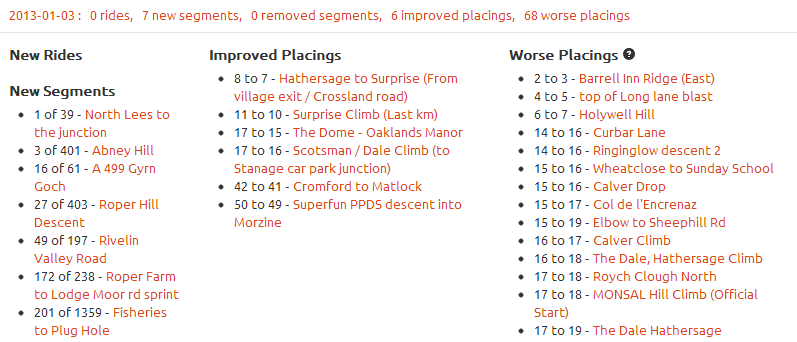
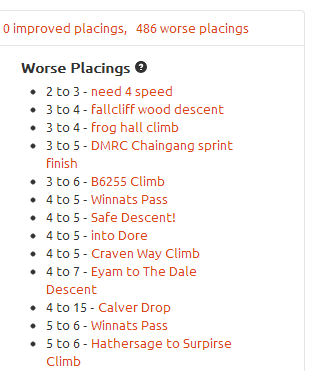
Worse PlacingsGreat news! Strava have fixed the bug with their API that resulted in segments with people tied on time returning placings that were better than reality.

This was the main “Known Issue” with VeloViewer and I’ve been completely at the mercy of Strava’s tech team for getting a fix. But it has arrived and with it the most depressing placings update statistics you’re every likely to get! Out of my 804 segments a whopping 486 have resulted in my placing getting worse.

Go update all your placings to get all your correct placings.

Continue reading

Velo Flow Your Club Runs

Velo Flow Club RunVelo Flow is a great way to visualise your rides but it really comes into its own when used to view group rides, be they club runs, sportives or races. Watch as you try and drop your club mates on a climb or get left behind with a mechanical before meeting back up at the cafe stop.

How-To videos now available!

Whichever the type of ride, the steps to go through to get the best Velo Flow of your ride are the same and very easy.

Continue reading

Ride Details, the Missing Link

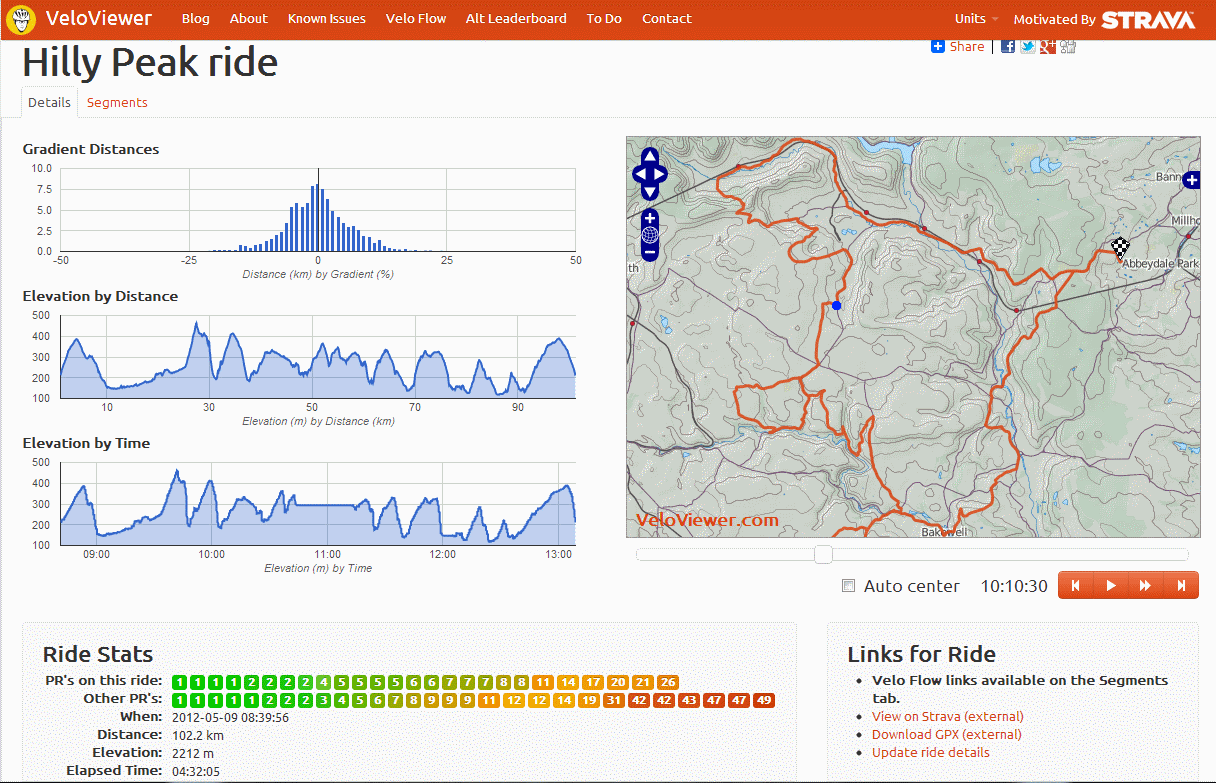
Ride DetailsFor a long time the main missing element on VeloViewer has been a ride details page. Well, not any more. Very much a version 1 so expect lots of changes based on some things I still want to add and any feedback/requests you guys want to give me. For now though, view each of your rides’ stats, interactive map, elevation charts (including the gradient histogram – distance travelled at each gradient) and lists of all segments covered (on a secondary tab).

Continue reading